Sales System Overhaul
We’ve completed a comprehensive redesign of our Sales System to give you greater visibility, improved organization, and full control over how items are sold, including custom fee structures.
Updated Menu Format
Sales items are now neatly categorized into three distinct sections:
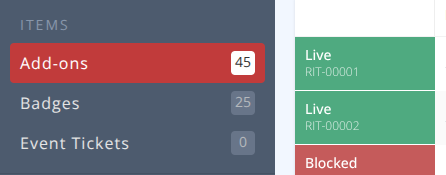
Add-ons
Badges
Event Tickets
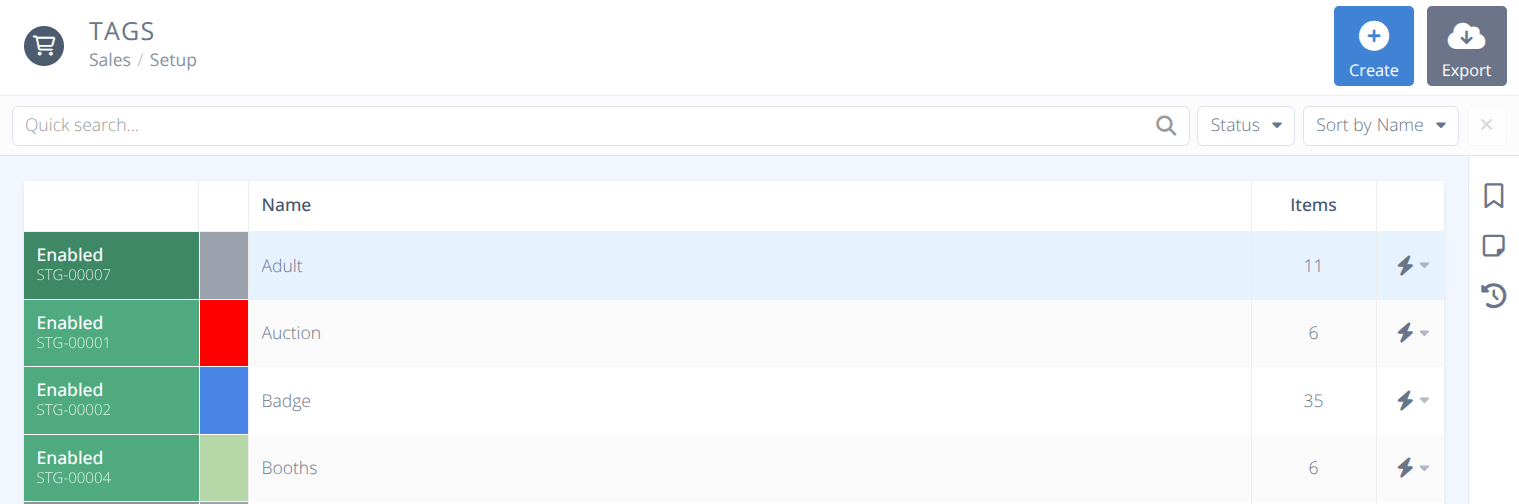
Centralized Tag Management
Tags have moved from individual sales item settings to a dedicated Tags menu located in the Setup section of Sales. These tags improve reporting, filtering, and organizing your sales items.
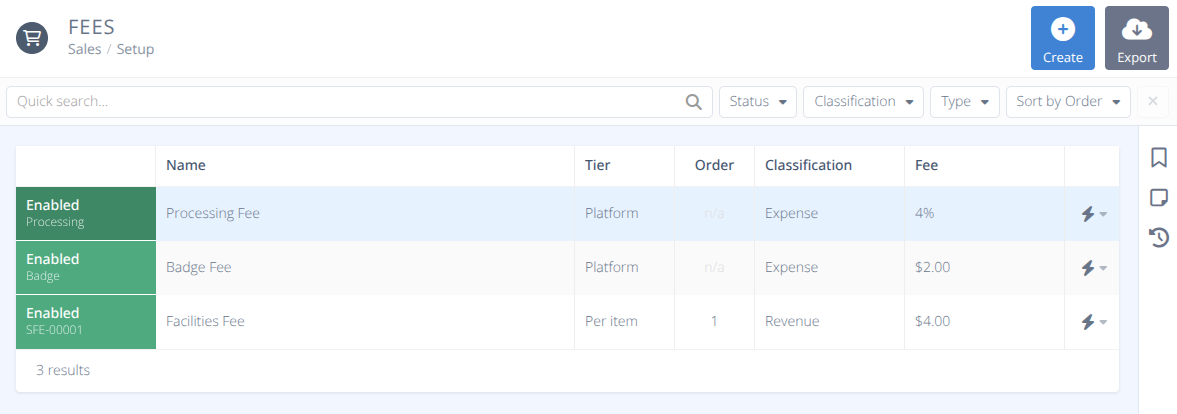
Custom and System Fee Management
Configure and customize custom fees and system fees in one convenient location. Determine how fees are applied, who pays for them, and which items or attendees they apply to.
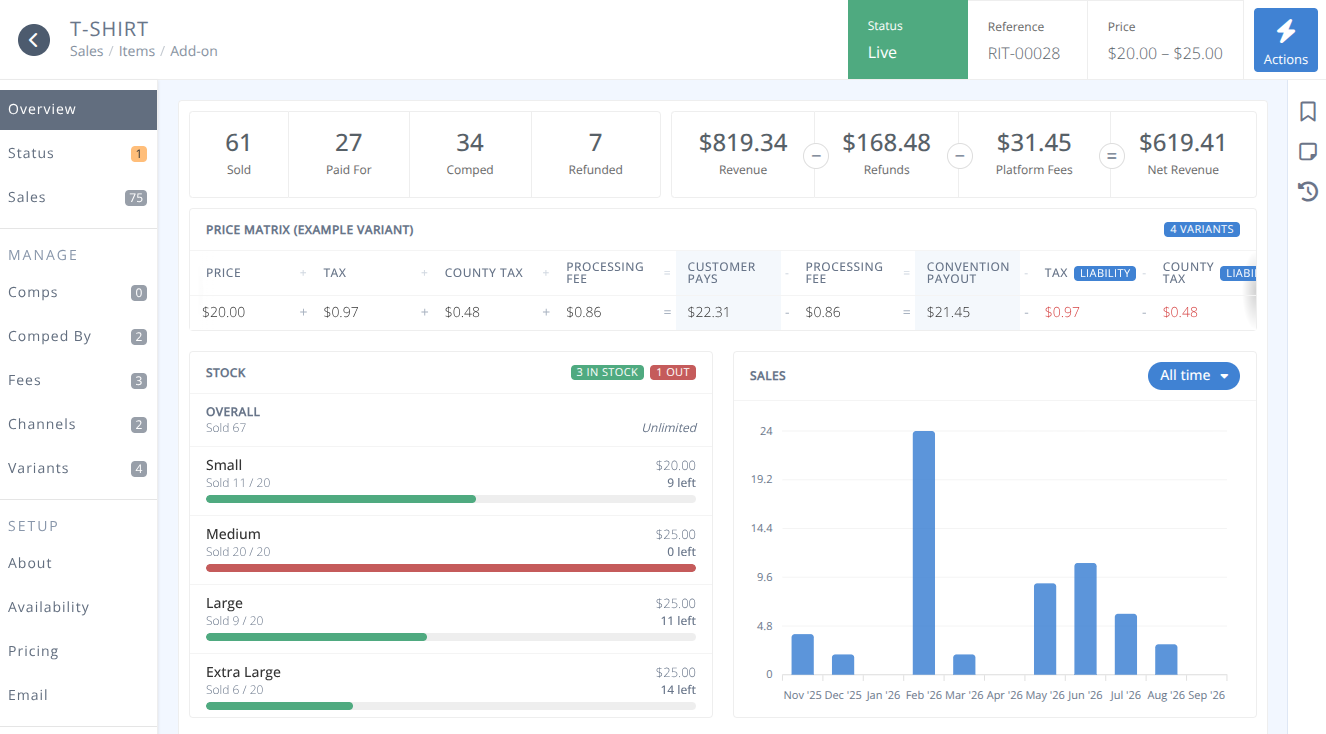
Enhanced Sales Item Insights
Instantly view stock levels, sales metrics, comps, channels and item variants directly from individual item details.
Improved Sales Item Status Indicators
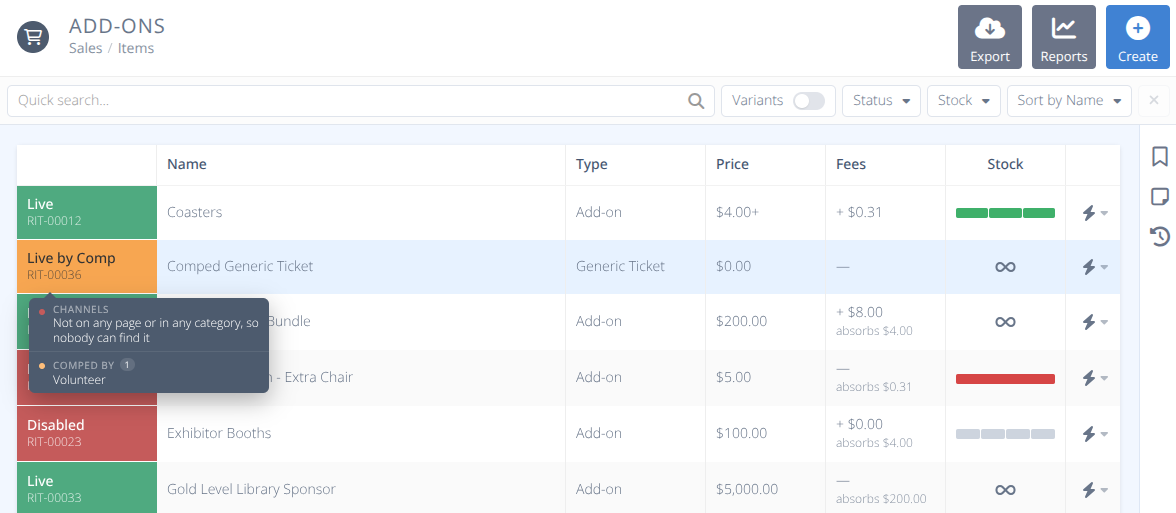
Easily track item statuses across Categories, Tags, Discounts and Sales Items with more descriptive and helpful indicators like Blocked, Restricted, Live, and Live by Comp. Tool tips provide details behind the status of that item.
Fee transparency is also now present in the sales grid so admins know what the fees are for each item and whether the customer is paying them or the convention is absorbing them.
Important Note
To maintain maximum backwards compatibility, platform Badge and Processing Fees are set by default to Absorbed and Non-Refundable. All existing sales items that are configured differently (eg. “Customer pays”) are added as exceptions. These settings should be carefully reviewed when adding new sales items or making changes.